


Chrome vs Safari vs Edge


Choosing the right web browser in 2026 is about more than just speed; it's about security, privacy, compatibility and productivity. With so many online tools and extensions available today, your browser plays a major role in how efficiently you work and browse.
The three giants dominating the web landscape remain Google Chrome, Apple Safari and Microsoft Edge. Each offers unique strengths and features, catering to different user needs.
In this in-depth guide, DigiPixInc. breaks down the battle of Chrome vs Safari vs Edge, exploring their performance, security, speed, extensions and ecosystem integration helping you decide which browser is right for you in 2026.
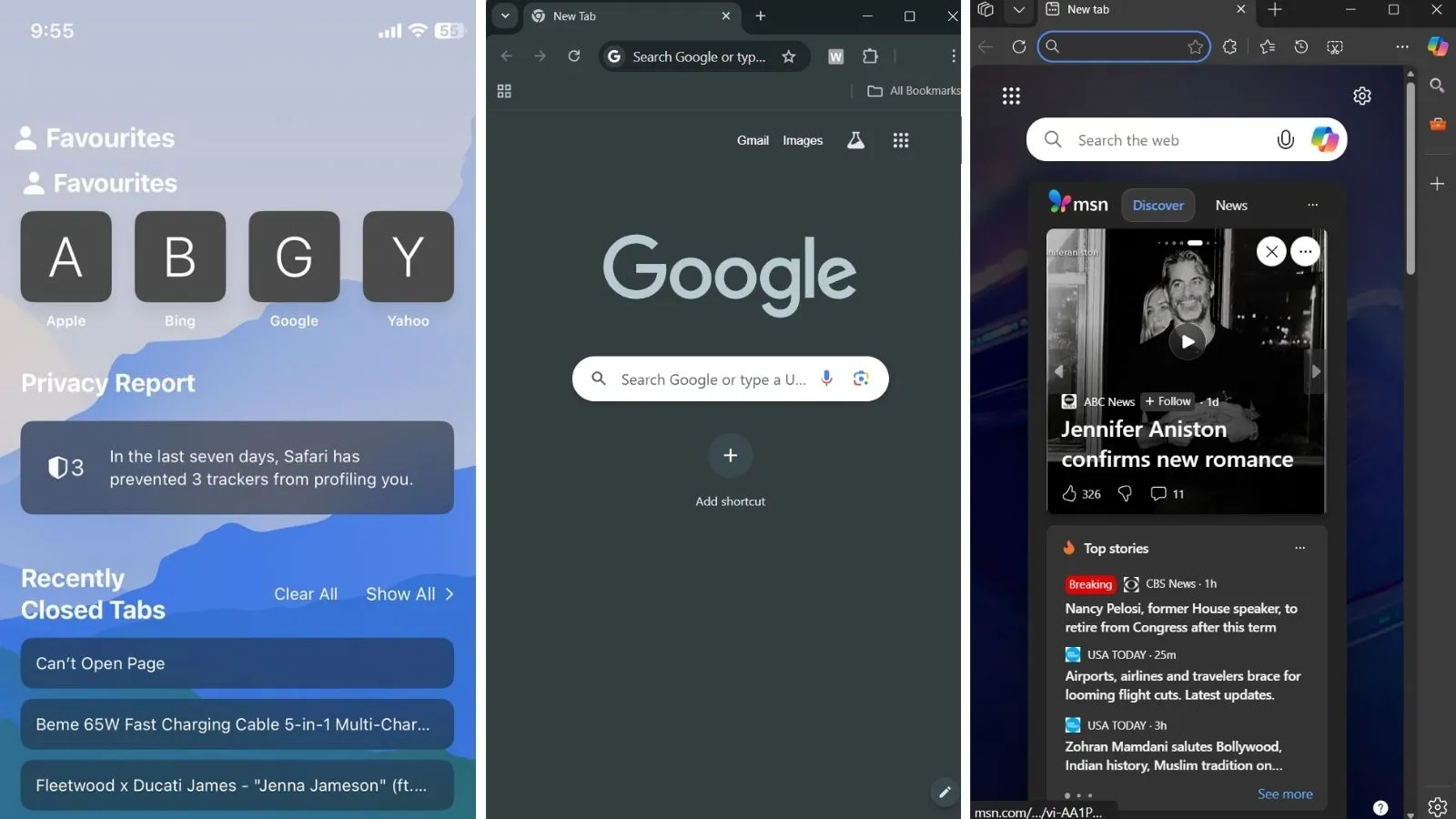
Comparing Chrome, Safari and Edge: which browser delivers the best balance of features and efficiency?
1. Overview: Browser Landscape in 2026
Before diving deep, let’s look at how the three browsers compare in popularity and performance:
|
Browser |
Market Share (2026) |
Primary Platform |
Key Strength |
|
Google Chrome |
62% |
Cross-platform |
Extensions & Performance |
|
Apple Safari |
19% |
macOS & iOS |
Privacy & Battery Efficiency |
|
Microsoft Edge |
11% |
Windows & macOS |
Speed & Productivity Features |
At DigiPix, we develop marketing plans that combine insight, innovation and analytics. Whether you need SEO, social media management, paid advertising, or email campaigns, our team ensures your brand stands out and drives real engagement that lasts.
Despite Chrome’s continued dominance, both Safari and Edge have made impressive strides in speed, AI integration and energy efficiency.
2.Google Chrome: The All-Rounder
Overview
Launched in 2008, Google Chrome remains the most popular browser globally. Known for its speed, vast extension library and compatibility, Chrome is a go-to for professionals and everyday users alike.
Key Features
- Lightning-fast performance across all devices
- Advanced security with Google Safe Browsing
- Over 180,000 extensions in the Chrome Web Store
- Syncs seamlessly across Android, Windows and macOS
- AI integration via Gemini and built-in translation tools
Why Users Love Chrome
- Perfect for multitasking and productivity
- Works flawlessly with Google Workspace (Docs, Drive, Meet)
- Frequent updates keep it stable and secure
Downsides
- High RAM usage can slow down older devices
- Less battery-friendly on laptops
- Privacy concerns due to Google’s data tracking
Best For:
Marketers, developers and users who rely heavily on Google’s ecosystem.
3. Apple Safari: The Privacy-Focused Powerhouse
Overview
Safari, Apple’s default browser, is optimized for macOS and iOS. It delivers impressive speed and battery efficiency while maintaining strong privacy controls making it ideal for Apple users.
Key Features
- Deep integration with the Apple ecosystem
- Intelligent Tracking Prevention (ITP) blocks third-party trackers
- Best battery performance among all browsers
- Seamless handoff between iPhone, iPad and Mac
- AI-enhanced Reading Mode and Siri integration
Why Users Love Safari
- Extremely energy-efficient
- Smooth experience across all Apple devices
- Strong focus on privacy and minimal data collection
Downsides
- Limited customization options
- Not ideal for Windows or Android users
- Smaller extension library compared to Chrome
Best For:
Apple users who value privacy, simplicity and battery life.

Chrome vs Safari vs Edge a closer look at speed, performance and user experience across all three browsers.
4. Microsoft Edge: The Underdog Turned Contender
Overview
Since switching to the Chromium engine, Microsoft Edge has evolved into a powerful, sleek browser that rivals Chrome in speed but adds more productivity and security tools.
Key Features
- Built on Chromium (same core as Chrome)
- Supports Chrome extensions seamlessly
- Integrated AI assistant (Copilot) for smarter browsing
- Vertical tabs and split-screen view for better organization
- Microsoft 365 integration for business users
Why Users Love Edge
- Loads faster than Chrome on Windows
- Offers superior memory management
- Excellent built-in PDF reader and note tools
Downsides
- Still less popular in the creative community
- Slightly slower extension syncing than Chrome
- Occasional pushy Microsoft promotions
Best For:
Windows users, professionals and productivity-driven individuals.
At DigiPix, we create tailored SEO strategies rooted in real data and proven methods. From optimizing on-page elements to refining keyword targeting and technical performance, we help your business rise in search results and stay ahead of the competition with steady, sustainable growth.
5. Speed & Performance Comparison
Browser speed is a key factor for anyone juggling multiple tabs, streaming, or doing research.
|
Test Type |
Chrome |
Safari |
Edge |
|
Page Load Speed |
9.6/10 |
9.4/10 |
9.5/10 |
|
Startup Time |
8.9/10 |
9.8/10 |
9.6/10 |
|
Battery Efficiency (Laptop) |
7.8/10 |
9.9/10 |
9.3/10 |
|
RAM Usage |
7.5/10 |
9.5/10 |
9.0/10 |
|
Overall Performance |
9.2/10 |
9.4/10 |
9.3/10 |
Verdict:
- Safari wins for battery performance and efficiency.
- Chrome remains king for speed and extension support.
- Edge impresses with balance and AI-powered tools.
Privacy & Security: Who Protects You Best?
As online privacy becomes more critical, browsers are racing to offer better control over personal data.
|
Feature |
Chrome |
Safari |
Edge |
|
Ad Tracker Blocking |
Partial |
Full |
Partial |
|
Private Browsing Mode |
Yes |
Yes |
Yes |
|
Password Manager |
Built-in |
Built-in |
Built-in |
|
AI Threat Protection |
Yes (Safe Browsing) |
No |
Yes (Defender SmartScreen) |
|
Third-Party Cookie Control |
Manual |
Automatic |
Manual |
Verdict:
Safari leads in privacy, automatically blocking trackers and minimizing data collection.
Edge offers enhanced protection for Windows users. Chrome provides balance but shares more data with Google services.
7. Extension Ecosystem
- Chrome: Offers the most extensive library with 180K+ extensions.
- Edge: Supports Chrome extensions plus a growing Edge Add-ons store.
- Safari: Limited but curated for safety and performance.
If you’re a power user who depends on plugins like Grammarly, Notion, or SEO extensions, Chrome or Edge will fit better.
8. Ecosystem Integration
|
Category |
Chrome |
Safari |
Edge |
|
Ecosystem |
Google Workspace |
Apple Devices |
Microsoft 365 |
|
Cross-Platform Sync |
Excellent |
Limited to Apple |
Excellent |
|
Mobile App Experience |
Excellent |
Outstanding (iOS) |
Good |
|
Cloud Integration |
Google Drive |
iCloud |
OneDrive |
At DigiPix, we design responsive websites that combine speed, style and functionality. Each site is optimized for desktops and mobile devices, ensuring smooth navigation, quick load times and a polished experience that keeps your visitors engaged.
Each browser works best when paired with its parent ecosystem. For example, if your workflow revolves around Google Workspace, Chrome is unbeatable. For Mac and iPhone users, Safari provides the most seamless experience. And for business professionals, Edge with Microsoft 365 is ideal.
9. User Experience & Design
Chrome
Clean, modern and consistent across platforms. Offers great customization through themes and extensions.
Safari
Minimalist and refined, matching Apple’s design philosophy. Great for distraction-free browsing.
Edge
Modern interface with unique features like vertical tabs, sidebar search and reading tools perfect for multitasking.
Verdict:
- If you prefer sleek minimalism Safari.
- If you like the versatility of Chrome.
- If you want productivity tools built into Edge.

Chrome vs Safari vs Edge a visual breakdown of how each browser handles privacy, speed and everyday browsing.
10. Which Browser Should You Choose in 2026?
|
User Type |
Best Browser |
Why |
|
Business Professionals |
Microsoft Edge |
Microsoft 365 + AI Copilot Integration |
|
Students & Researchers |
Chrome |
Extension support + fast research tools |
|
Apple Ecosystem Users |
Safari |
Battery-efficient, privacy-first |
|
Developers & Marketers |
Chrome |
Advanced dev tools + Google integration |
|
Privacy Advocates |
Safari |
Built-in tracking prevention |
|
Windows Users |
Edge |
Fast, clean and AI-powered |
|
Cross-Platform Users |
Chrome |
Works everywhere, syncs everything |
Our team stays ahead of every tech update, ensuring your website performs flawlessly on Chrome, Safari and Edge alike.
What We Offer:
- Website performance optimization
- SEO audits for all major browsers
- Mobile & cross-browser compatibility testing
- Digital growth consulting
Contact DigiPixInc today to improve your website’s speed, SEO and user experience across all browsers.
FAQs
1. Which browser is fastest in 2026?
All three are highly optimized, but Chrome leads slightly in overall performance, while Safari wins for speed on Apple devices.
2. Which browser uses the least memory?
Safari is the most efficient, using up to 40% less RAM than Chrome or Edge.
3. Is Edge better than Chrome?
Yes, for some users. Edge offers comparable performance but uses fewer resources and integrates better with Windows.
4. Which is best for privacy?
Safari provides the strongest privacy features by default.
5. Which browser should businesses use?
For professional and collaborative work, Edge or Chrome are ideal due to integration with Microsoft and Google services. At DigiPixInc, we help individuals and businesses optimize their online presence from website performance to browser-based SEO strategies.
Conclusion
In the battle of Chrome vs Safari vs Edge, there’s no single winner, only the best fit for your workflow.
- Choose Chrome if you value speed, extensions and Google integration.
- Choose Safari if you prioritize privacy, battery life and seamless Apple connectivity.
- Choose Edge if you want fast, smart, AI-powered browsing with strong Windows support.
No matter which you pick, 2026 browsers are smarter, faster and more secure than ever and with DigiPixInc, your digital experience can stay optimized across them all.
Request A Quote

Written By: Khurram Qureshi
Founder & consultant of DigiPix Inc.
Call or text: 416-900-5825
Email: info@digipixinc.com
About The Author
In 2005, Khurram Qureshi started DigiPix Inc. which started off as a design agency offering video editing to professional photography, video production & post production, website designs and 3D Animations and has now expanded towards online marketing and business consultancy. Khurram Qureshi also is a motivational figure and participates in local and international platforms. He also play a role in the local community development, helping local young minds get ready to enter the job market.