



How to Index SEO Citations?

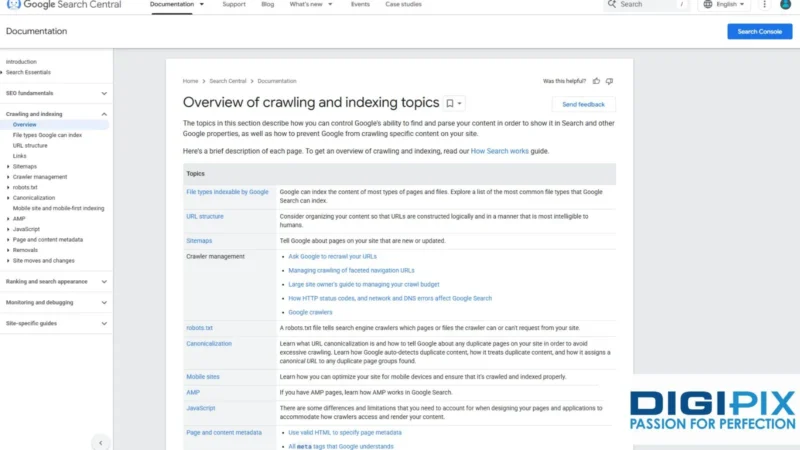
SEO citations are one of the most important parts of building a strong online presence. Whether you’re managing a local business or growing a digital brand, citations help search engines understand who you are, where you’re located and what you offer. But creating citations alone isn’t enough, they must be indexed so Google and other search engines can read, trust them.
If you’ve ever wondered why your citations are not appearing in Google or how to get them indexed faster, this guide will walk you through everything you need to know.
What Are SEO Citations?
SEO citations are online mentions of your business information.
This usually includes:
- Business name
- Address
- Phone number
- Website URL
- Business category
- Operating hours
These appear on directories, websites, maps and social platforms.
Examples include:
- Google Business Profile
- Yelp
- YellowPages
- Bing Places
- Local business directories
- Industry-specific listings
Citations help Google confirm your business details. The more accurate and trustworthy the citations, the better your chances of ranking in local search.

Learn the fastest ways to get your SEO citations indexed and recognized by Google.
Why Indexing Matters for SEO Citations
Google needs to index your citations before it can help your rankings. If a citation is not indexed, Google cannot read or confirm your business information.
Benefits of Indexed Citations
- Stronger local SEO signals
- Improved Google Business Profile rankings
- Better visibility in local search results
- More trust from search engines
- Faster ranking improvements for local keywords
Many people create dozens of citations but see no results simply because Google hasn’t indexed them.
How to Check if Your Citations Are Indexed
Before you start indexing, you need to know which citations are already indexed.
Method 1: Google “site:” Search
Type in Google:
site:directoryname.com/your-business-url
If your listing appears in Google, it's indexed.
Method 2: Use an Index Checker Tool
Tools like:
- IndexMeNow
- SEO Indexer
- Small SEO Tools
Help check index status quickly.
At DigiPix, we build digital marketing strategies that combine clear data insights with creative execution. From improving your search presence to running targeted ads and developing strong social campaigns, we help you reach the audience that matters.
How to Index SEO Citations (Step-by-Step)
Here are the most effective ways to get your citations indexed faster and naturally.
1. Use Google Search Console’s URL Inspection Tool
If you have control over the directory listing URL (some directories allow it), you can:
- Copy the listing URL
- Paste it into Google Search Console
- Click “Request Indexing”
This signals Google to crawl it sooner.
2. Build Internal Links From Your Website
One simple trick is to link your citations from your website.
For example:
- Add a “Find Us On” section in your footer
- Link your Yelp, Google Bing listings
- Include citations in your Contact page
Google crawls your website often linking citations helps Google reach them faster.
3. Use Social Signals
Share your citations on social platforms:
- X (Twitter)
Google frequently crawls these platforms, so sharing links helps speed up indexing.

Boost local visibility by properly indexing your business citations here’s how.
4. Ping the URLs
Pinging notifies search engines that a new URL exists.
Use tools like:
- Pingomatic
- BulkPing
- PingTool
- IndexKings (for safe, light pings only)
Pinging is simple but effective for directories that update slowly.
5. Build Low-Authority Backlinks to Your Citations
A small number of natural, low-authority backlinks can push Google to crawl the citation.
These include:
- Social bookmarks
- Forum signatures
- Web 2.0 profiles
- Niche community posts
Don’t overdo this, just a few is enough.
6. Embed Your Citation Links in Blog Posts
When you write blogs on your website (like this one), include one or two citation links occasionally.
For example:
“Check out our business listing on Bing or Yelp.”
Google crawls your blog → finds the links → crawls the citation → indexes it.
At DigiPix, we create SEO strategies guided by accurate data, clear analysis and proven optimization practices. Whether we’re enhancing your technical setup or improving keyword relevance, we focus on strengthening your website’s overall visibility.
7. Use a Third-Party Indexing Service (Optional)
Services like:
- IndexMeNow
- Omega Indexer
- OneHourIndexing
help boost indexing speed but use them carefully and sparingly.
For businesses with many citations, this can save time.
Best Methods to Index SEO Citations
|
Method |
Effectiveness |
Difficulty |
Recommended? |
|
Google Search Console |
High |
Easy |
✔ Yes |
|
Social media sharing |
Medium-High |
Easy |
✔ Yes |
|
Pinging URLs |
Medium |
Very Easy |
✔ Yes |
|
Backlinks to citations |
High |
Medium |
✔ Yes (light) |
|
Third-party indexing services |
Very High |
Easy |
✔ Use carefully |
|
Linking citations on your website |
High |
Easy |
✔ Yes |
How Long Does Indexing Take?
Indexing time depends on:
- How trusted the directory is
- How often does Google crawl it
- Whether the URL is new
- Whether the URL has backlinks
Typical index time:
- High-authority sites → 1–3 days
- Medium sites → 1–2 weeks
- Low-authority directories → 3–8+ weeks
Using the strategies above can speed this up significantly.

A simple guide to indexing citations so your local SEO rankings improve faster.
Common Mistakes When Indexing Citations
Avoid these to ensure smooth indexing:
- Creating citations with inconsistent NAP (Name, Address, Phone)
- Using duplicate content across listings
- Submitting citations to spammy directories
- Creating too many citations in one day
- Using aggressive indexing tools
Slow and steady wins in local SEO.
At DigiPixInc., we help businesses grow online through:
Local SEO
- Citation building & indexing
- Google Business Optimization
- Website SEO audits
- Content strategy
- Full-service digital marketing
Contact DigiPixInc. Today to speed up your citation indexing and boost your local search visibility.
At DigiPix, we create responsive websites that load quickly, look polished and work seamlessly on every device. With clean layouts and intuitive navigation, we ensure users enjoy a clear and engaging browsing experience.
FAQs
1. How many citations do I need for local SEO?
Quality matters more than quantity. Most businesses start with 30–50 strong citations.
2. How do I know if my citation is helping SEO?
Once indexed, you may see improved local rankings and stronger visibility.
3. Can I index citations without tools?
Yes internal links, social shares GSC requests work well.
4. Do all citations need backlinks?
No. Backlinks help with stubborn listings but should be used in moderation.
5. Why are some citations slow to index?
Low-authority directories get crawled less often and may need extra signals.
Conclusion
Getting citations indexed is one of the most important parts of local SEO, yet many businesses overlook it. By using the methods in this guide, from Search Console requests to social signals and backlink support, you can help Google index your citations faster and strengthen your online presence.
A fully indexed citation profile increases trust, boosts local rankings and helps potential customers find your business more easily.
Request A Quote

Written By: Khurram Qureshi
Founder & consultant of DigiPix Inc.
Call or text: 416-900-5825
Email: info@digipixinc.com
About The Author
In 2005, Khurram Qureshi started DigiPix Inc. which started off as a design agency offering video editing to professional photography, video production & post production, website designs and 3D Animations and has now expanded towards online marketing and business consultancy. Khurram Qureshi also is a motivational figure and participates in local and international platforms. He also play a role in the local community development, helping local young minds get ready to enter the job market.